
We reach the end of the series. And we close with a question that should arise naturally in any terminal tool that starts to grow: if the “one command, one output, goodbye” model starts to cause friction, what is the next step?
For this project, the answer is to build a TUI with ratatui. Not as a cosmetic exercise, but as a real evolution of the interface.
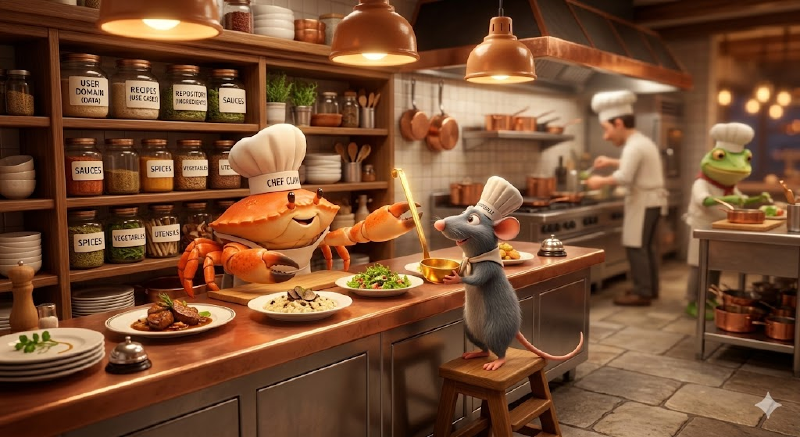
This post is not a ratatui tutorial. It is a technical roadmap: what new concepts appear, what changes in the architecture, and what is reused intact.
Why a TUI and not stay in CLI #
The current CLI works well for atomic operations: add, list, done, delete. But when the flow becomes iterative (review the list, mark several tasks, filter, list again), the command-by-command model multiplies the round trips with the shell.
A TUI solves this with a persistent session. But the change is not only technical, it is a change of mental model.
In the CLI, the user thinks in verbs: “I want to add a task”, “I want to list the pending ones”. Each intention is a command with explicit arguments. The user declares what they want and leaves.
In a TUI, the user thinks in states and navigation: “I am looking at my tasks”, “I move to this one”, “I mark it”. There is no moment of “formulating the command”. The interaction is continuous, spatial, direct. The feedback is immediate and visual, you see the change on the same screen where you made the decision.
This has real consequences for UX:
- Discoverability: in a CLI,
--helpis the documentation. In a TUI, shortcuts must be visible or, at a minimum, accessible with a help key (?). If the user has to guess, the TUI has failed. - Feedback in context: in the CLI, an error is a message in
stderrthat the user reads after the command. In the TUI, the error appears where you are looking, while you keep operating. That changes how you write error messages, it’s no longerError: task not found (id: 3fa85f...), it’s a bottom bar showingTask not foundfor two seconds and then disappearing. - Continuous vs discrete flow: in the CLI, each operation is atomic and independent. In the TUI, operations are part of a session. This means you can (and should) keep context: if the user just deleted a task, the selection should move to the next item, not reset to the beginning.
It’s not “making it pretty”. It’s moving from a command interface to a direct manipulation interface.
The pantry is already full: what is reused #
All the investment in separating layers from chapter 1 pays off here. The TUI adapter is another primary adapter, exactly the same as the CLI. It consumes the same use cases, the same domain, the same repository:
src/tasks/domain/task.rs—Taskentity, invariants,TaskStatus.src/tasks/application/use_cases—AddTaskUseCase,ListTasksUseCase,MarkTaskDoneUseCase, etc.src/tasks/ports/outputs/task_repository.rs—TaskRepositorytrait, implemented byJsonFileTaskRepository.
Zero changes in these layers. The TUI only needs a new directory under adapters/.
Coexistence: CLI and TUI in the same binary #
The logical step is not to replace the CLI binary, but to add a subcommand:
todo-cli add "Buy milk"    # Classic CLI, still works
todo-cli tui               # Opens the interactive interface
In clap, this is one more variant of the TodoCommand enum:
#[derive(Debug, Clone, Subcommand)]
pub enum TodoCommand {
    Add { title: String },
    List { /* ... */ },
    Done { id: Uuid },
    // ...
    Tui,
}
And in main.rs, one more arm in the match:
TodoCommand::Tui => {
    tui::run(repository)?;
}
The CLI remains available for scripts and automation. The TUI is for interactive use. Two menus in the same restaurant.
Ratatui in broad strokes: the concepts that matter #
We are not going to do a ratatui tutorial, the official documentation is excellent. But there are concepts you need to understand before designing the adapter, because they directly affect architectural decisions.
Immediate mode rendering #
Unlike a retained mode framework (where you create persistent widgets and modify their state), in ratatui we redraw the entire interface every frame:
loop {
    terminal.draw(|frame| {
        frame.render_widget(task_list_widget, area);
    })?;
    if let Event::Key(key) = event::read()? {
        // Update state
    }
}
There are no persistent widget objects. There is no bidirectional binding. Each frame is a function of the current state. This greatly simplifies the mental model: the UI is a direct projection of the state, without synchronization.
Widget and StatefulWidget #
Ratatui has two fundamental traits. Widget is for elements that don’t remember anything between frames (a Paragraph, a Block). StatefulWidget is for those that need mutable state during render, the canonical example is List, which updates the scroll position to keep the selected item visible:
frame.render_stateful_widget(
    task_list_widget,
    area,
    &mut app_state.list_state,  // &mut State, here begins the friction
);
That &mut in the render is the first indicator that the ownership model is going to change compared to the CLI. We will come back to this.
The Elm Architecture (TEA) #
Ratatui does not impose an application pattern, but the community converges on The Elm Architecture: Model → Update → View. A central state, a function that transforms it according to messages, a function that projects it onto the screen.
It fits well with our immutable domain mentality. The update can trigger our existing use cases, the difference is that the result is not printed to stdout, but updates the model so the next frame reflects it.
Structure of the TUI adapter #
Following the same convention as the CLI adapter:
src/tasks/adapters/
  cli/
    cli_command.rs
    printer.rs
    errors.rs
  tui/
    app.rs            // Model + main event loop
    events.rs         // Message: enum of events + key mapping
    renderer.rs       // View: function that draws the entire UI
    screens/
      task_list.rs    // Main widget: task table with selection
The mapping is direct. events.rs is the TUI equivalent of clap parsing: the input boundary. renderer.rs is the view function, receives the state, divides the area with Layout, renders widgets. app.rs contains the UI state (selection, filter, messages) and the main loop that connects events with use cases.
What changes and what doesn’t #
Doesn’t change: Task entity, invariants, use cases, JSON repository, error taxonomy per layer.
Does change: a persistent event loop appears, mutable UI state, and error handling that cannot kill the session.
And this is where things get interesting for anyone programming in Rust.
What Rust forces you to think about #
This section is the one you won’t find in the ratatui tutorial. The library explains how to draw widgets. What it doesn’t explain is what happens when you connect those widgets with a domain that has its own ownership model. And in Rust, that is not optional, it is the first question the compiler is going to ask you.
From stateless to &mut self: the fundamental change #
The CLI is stateless by design: parses arguments, executes a use case, prints result, exits. There is no state to maintain between invocations. Each execution is a pure function of the input.
The TUI completely inverts this. The event loop maintains a mutable AppState that lives throughout the session:
struct App {
    tasks: Vec<Task>,
    list_state: ListState,      // ratatui, needs &mut in render
    filter: TaskFilter,
    status_message: Option<String>,
    repository: JsonFileTaskRepository,  // ← who is the owner?
}
That repository inside App is the first non-trivial decision. In the CLI, the repository is created in main, passed by mutable reference to the function executing the command, and dies. In the TUI, the repository has to live as long as the session lasts. That implies that App is its owner.
The friction of the event loop: render vs mutation #
The real problem appears when the event loop needs to do two things with the same state:
- Render:
terminal.draw()needs to read the state to project it onto the screen. - Mutate: the event handler needs
&mut selfto update the state after an action.
In a language with GC, this is not a problem, you read and write whenever you want. In Rust, the borrow checker enters the scene. You cannot have &self (for render) and &mut self (for update) at the same time.
The cleanest solution is the one the TEA pattern itself suggests: separate the phases. First you render (taking &self of the state), then you process events (taking &mut self):
loop {
    // Phase 1: render, read-only
    terminal.draw(|frame| self.view(frame))?;

    // Phase 2: update, exclusive mutation
    if let Event::Key(key) = event::read()? {
        self.update(key)?;
    }
}
This works because the phases are sequential, never simultaneous. The borrow checker is satisfied. But look at what has happened: the architecture of your event loop hasn’t been decided by you for elegance, it has been decided by the compiler for correctness.
Is Arc<Mutex<>> necessary?
#
The short answer: no, if you stay in synchronous single-thread.
The basic ratatui event loop is synchronous and single-threaded. The App lives in the loop’s stack, nobody else touches it. You don’t need Arc, you don’t need Mutex, you don’t need RefCell. Ownership is linear and clear.
But if you wanted to:
- Read events in a separate thread (so as not to block the render with
event::read()), now you need anmpsc::channelto send events to the main thread. - Asynchronous I/O operations (for example, if the repository were remote), you would need
tokio,async/await, and probablyArc<Mutex<App>>to share state between the async runtime and the render loop. - Timers or periodic polling (to auto-refresh the list), again you need concurrency.
For a local task app with a JSON repository on disk, none of this is necessary. But the mere fact that Rust makes you decide explicitly is part of the design. In Go or Python, you would have an implicit mutex (the GIL) or goroutines with channels without thinking about it. In Rust, the decision is yours and the compiler verifies that you have made it correctly.
The TaskRepository trait and &mut self
#
There is a more subtle detail. Our TaskRepository trait uses &mut self for write operations:
pub trait TaskRepository {
    fn save(&mut self, task: &Task) -> Result<(), RepoError>;
    fn find_all(&self) -> Result<Vec<Task>, RepoError>;
    fn delete(&mut self, id: &TaskId) -> Result<(), RepoError>;
}
In the CLI, this is not a problem: the repository is passed as &mut repo to the use case, it executes, end. In the TUI, the repository lives inside App. When the user presses d to mark a task as done, the handler needs &mut self.repository to call the use case. But if at that exact moment you were rendering (hypothetically), you would have a borrow conflict.
Again, the sequential render/update separation solves it. But if someday the repository were asynchronous and the save operation took more than one frame, the story changes. You would have to take the repository out of the App, put it behind an Arc<Mutex<>>, and handle the response as an asynchronous Message that arrives at the update in a later frame.
This is exactly what the ratatui async event handling recipe proposes: an EventHandler in a dedicated thread with tokio, CancellationToken, and mpsc channels. For our case it’s overengineering. But it’s good to know where the exit door is.
UX challenges in the event loop #
Beyond ownership, there are user experience decisions that the TUI forces you to make and that the CLI simply doesn’t have:
Errors that don’t kill the session. In the CLI, a CliError propagates up to main, is printed and the process ends. In the TUI, an error when marking a task as done has to be shown as a temporary message and leave the session intact. This implies that every Result::Err inside the event loop translates to a Message::Error(String) that updates the status bar, not to a ? that kills the process.
Modal states. What happens when the user presses a to add a task? You need a text input inside the TUI. This introduces a mode: the keyboard stops navigating the list and switches to typing text. You need to manage the transition between modes (normal → input → confirmation), and each mode has its own key mapping. The CLI doesn’t have this problem because each command is an isolated invocation with its own arguments.
Destructive confirmations. delete in the CLI is executed and that’s it. In the TUI, you probably want a confirmation prompt (Delete "Buy milk"? [y/n]). Another modal state that has to be managed.
Responsive layout. The CLI doesn’t adapt to the width of the terminal, it prints what it prints. The TUI has to react to Event::Resize and redistribute widgets. If the terminal is too narrow for the task table, you need to truncate columns or change the layout. Ratatui makes this easy with Constraint and Layout, but the decisions of what to sacrifice are yours.
Conclusion. Two chefs, the same kitchen #
The crab has been running the kitchen for five chapters: it designed the pantry, organized the ingredients by layers, set up the dining room service. Now it hands the pass over to the rat. Same kitchen, same ingredients, same contract with the dining room, but a different chef in charge of plating.
That is exactly what hexagonal architecture promised from chapter 1: changing who plates without rewriting the recipes.
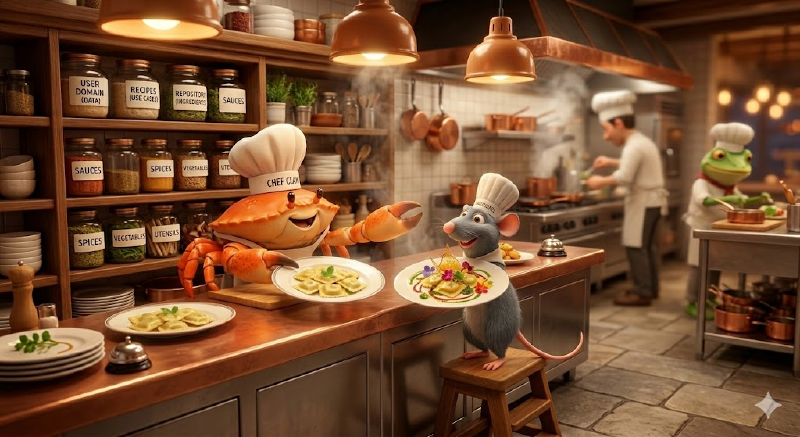
But the change of chef is not free. The CLI is a simple model, parse, execute, print, exit, which fits like a glove into Rust’s linear ownership. The TUI introduces a persistent event loop, long-lived mutable state, and concurrency decisions that the CLI simply doesn’t have. The compiler forces you to make those decisions explicitly, and that is both the friction and the guarantee.
What doesn’t change is what matters: the domain remains immutable, the use cases continue to have the same interface, the repository continues reading and writing JSON in ~/.local/share/. The only new thing is who is at the front window: the crab is still available for quick orders (CLI), and the rat takes care of the table service (TUI).
And that, in the end, was the bet of the whole series.
I will tell the real development of this evolution, ratatui taking control of the kitchen, in a future series of posts. This series closes here, but the kitchen remains open. Bon appetit!